How to update Name and Address in Your eFaas Profile (Only for changes made to the National ID Card registry)
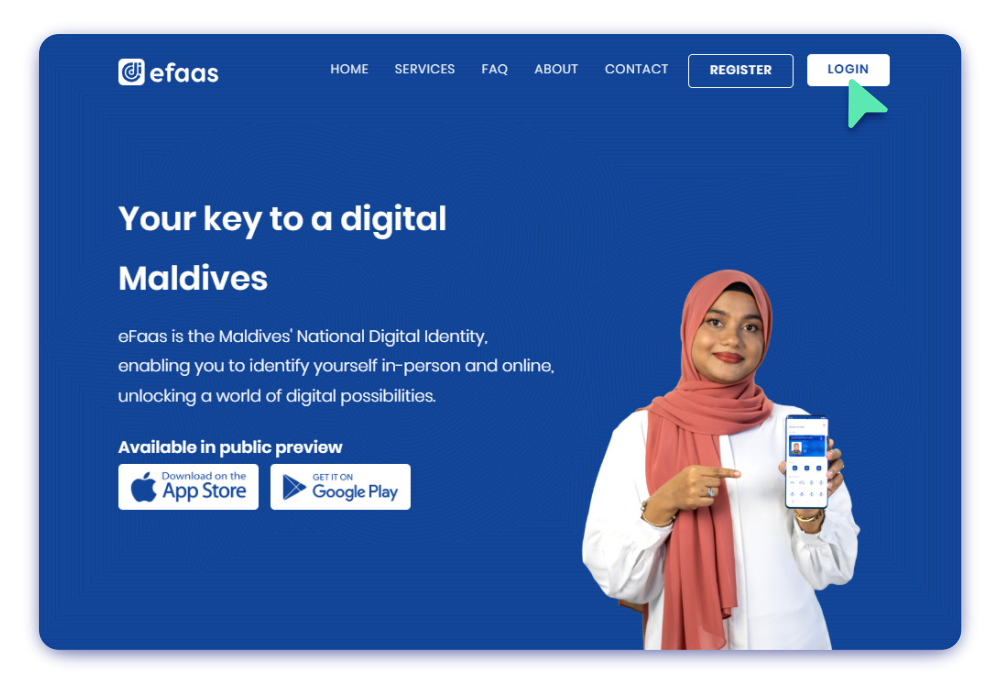
Step 1
To log in to eFaas, visit the website by navigating to efaas.gov.mv and click the LOGIN Button
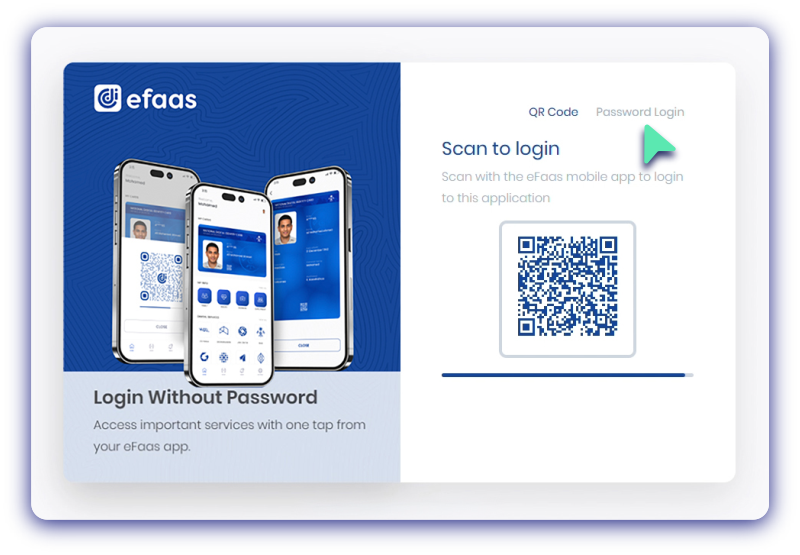
Step 2
Log in by scanning QR code using the eFaas Mobile App or choose Password Login
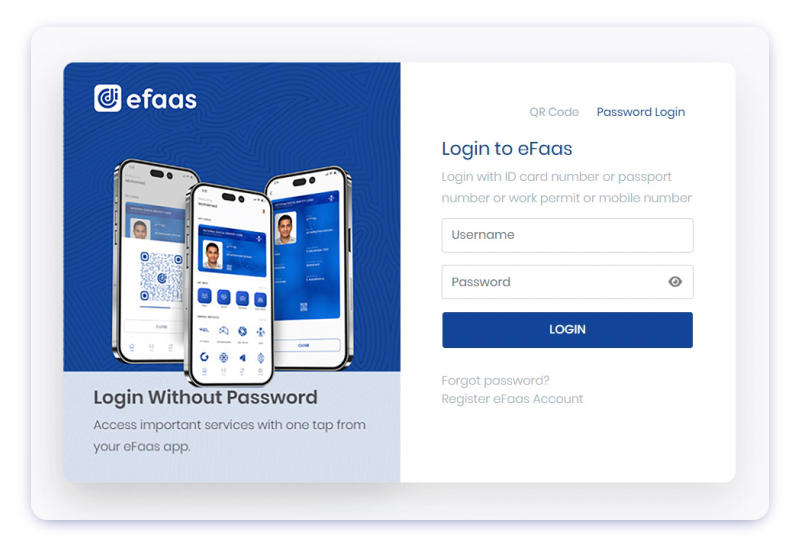
Step 3
Enter your Username
(ID Card Number/Passport Number/Word Permit Number)
and Password, then click LOGIN
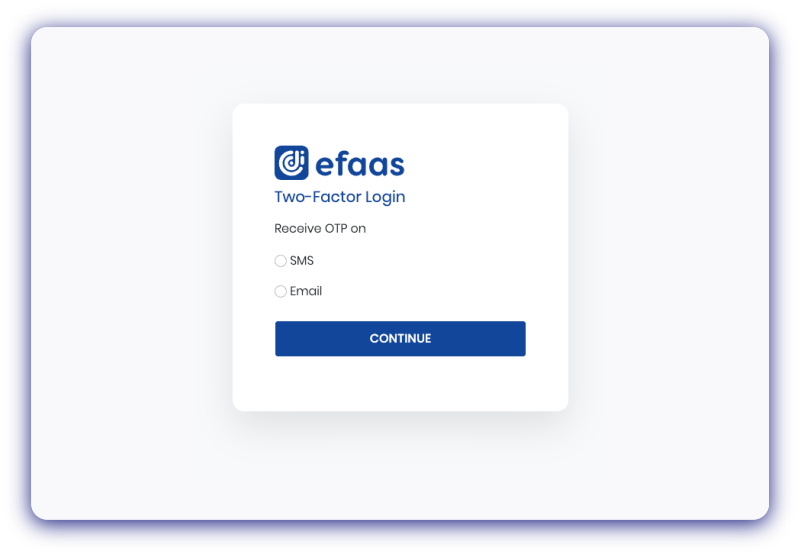
Step 4
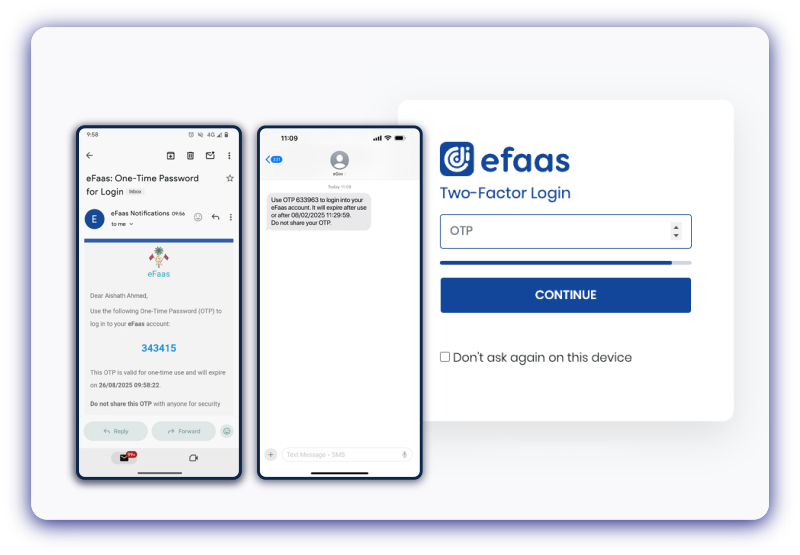
Select your preferred authentication method and click Continue
Step 5
Enter the OTP and click Continue button
Step 6
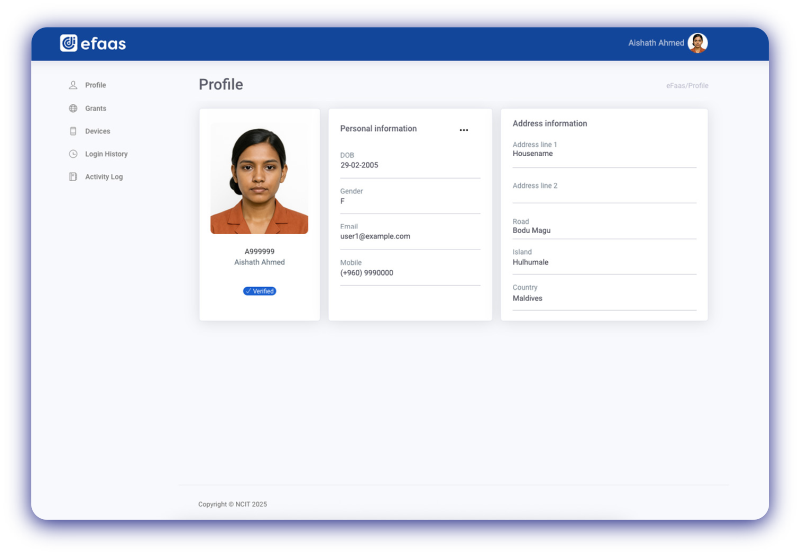
Once you click Continue, you will see your eFaas profile
Step 7
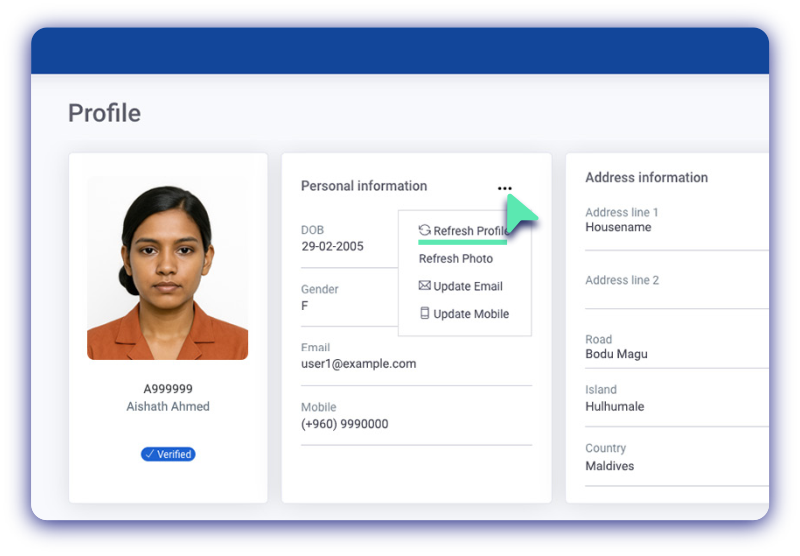
Click ... symbol next to Personal Information,then choose Refresh Profile from the dropdown
Step 8
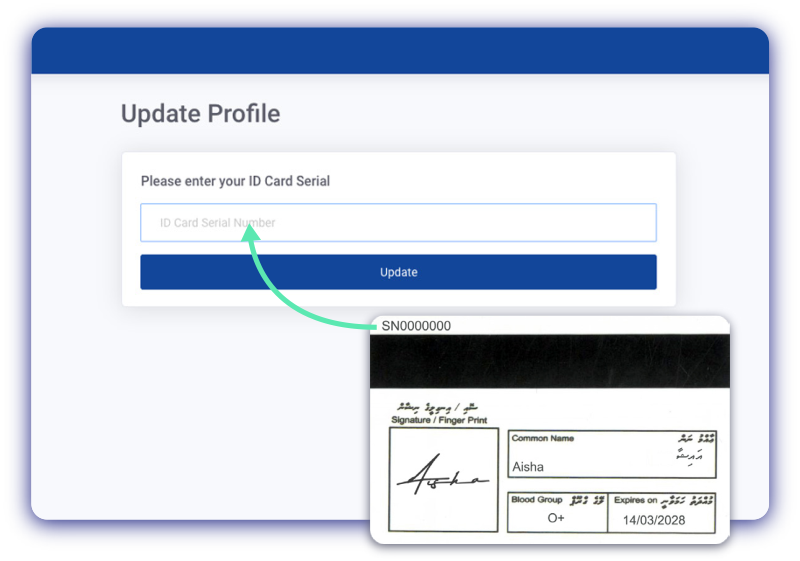
To update the profile, enter the ID card serial SN####### and click Update button
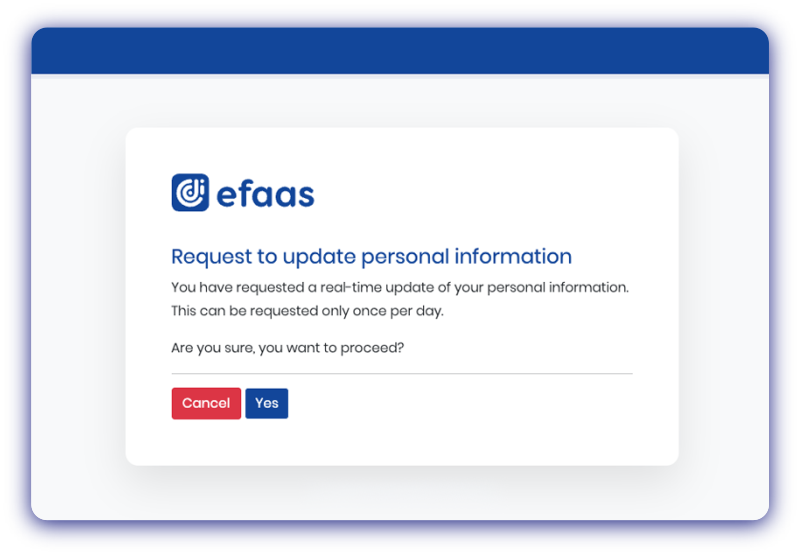
Step 9
Click Yes to proceed
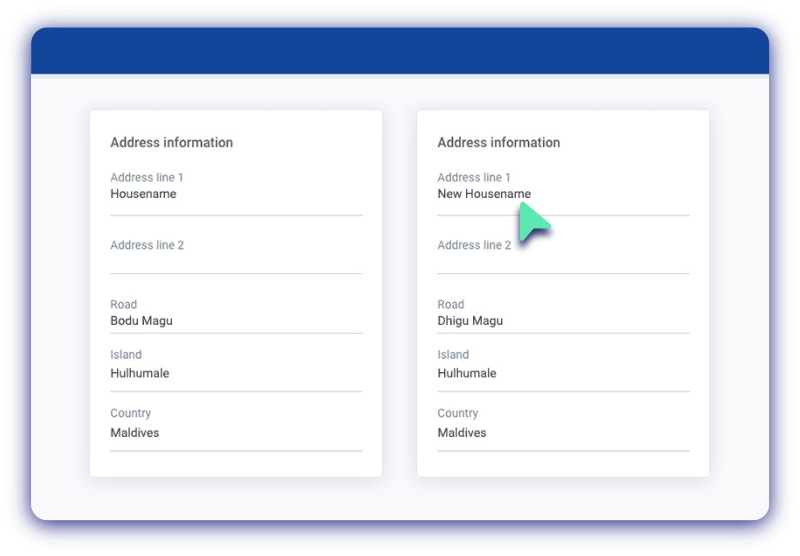
Step 10
Any updates made to your National ID Card information — including Name, Address, and Photo — will be automatically synced to your eFaas profile.
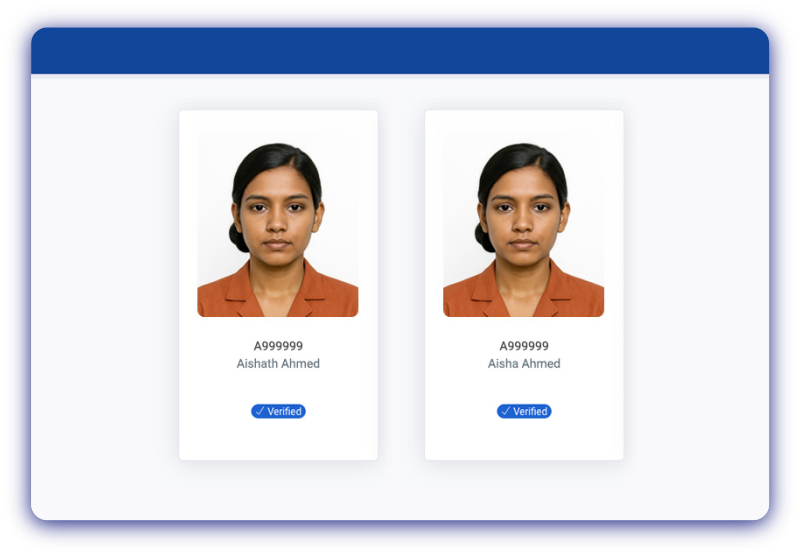
Any updates made to your National ID Card information — including Name, Address, and Photo — will be automatically synced to your eFaas profile.