How to Login to Your eFaas Account
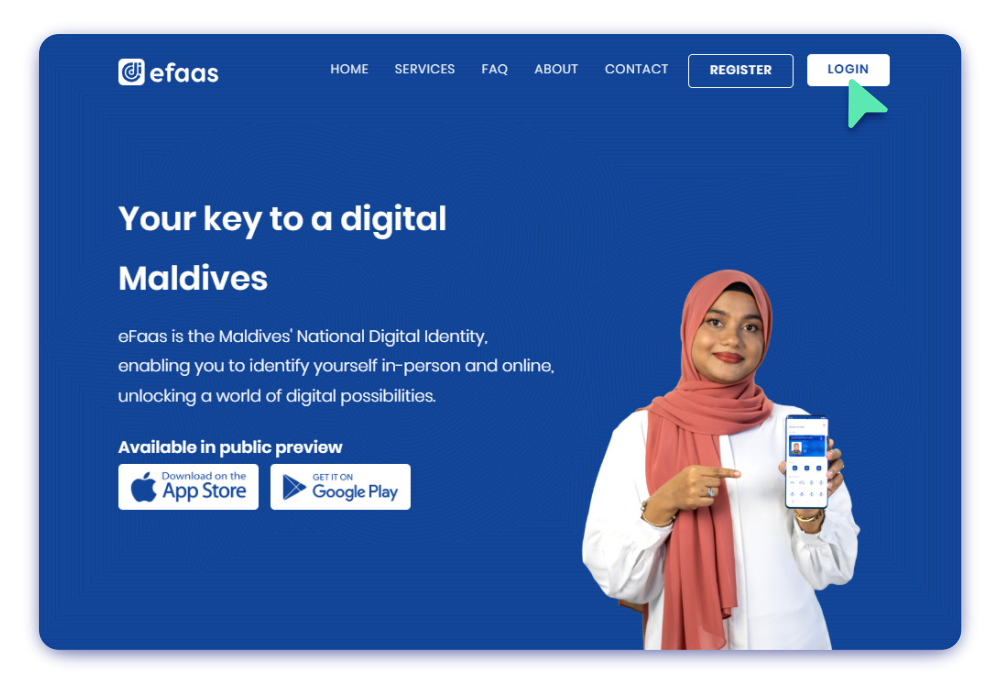
Step 1
To log in to eFaas, visit the website by navigating to efaas.gov.mv and click the LOGIN Button
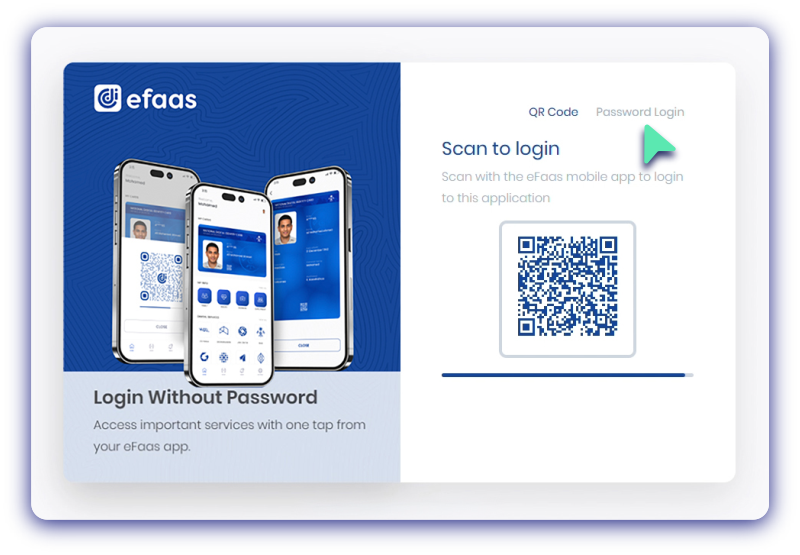
Step 2
Log in by scanning QR code using the eFaas Mobile App or choose Password Login
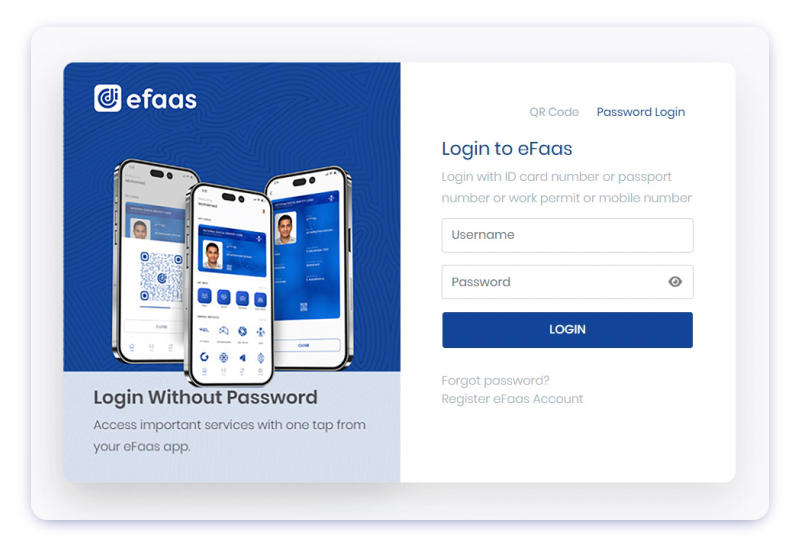
Step 3
Enter your Username
(ID Card Number/Passport Number/Word Permit Number)
and Password, then click LOGIN
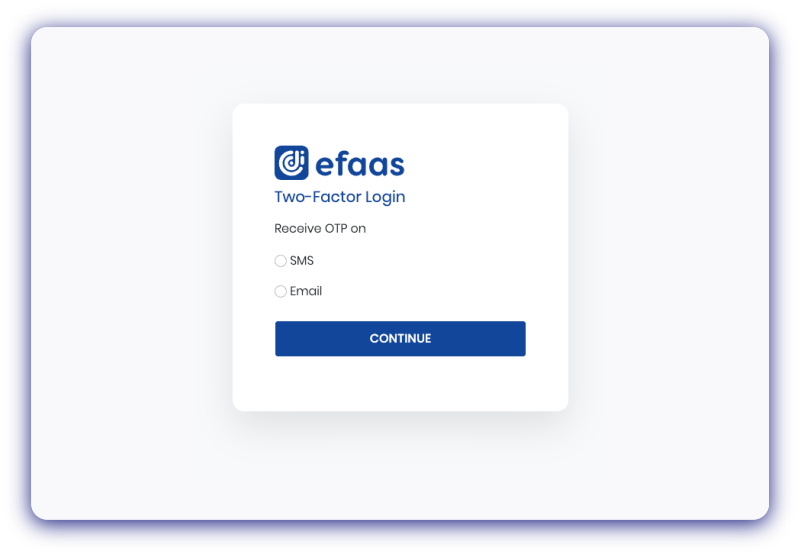
Step 4
Select your preferred authentication method and click Continue
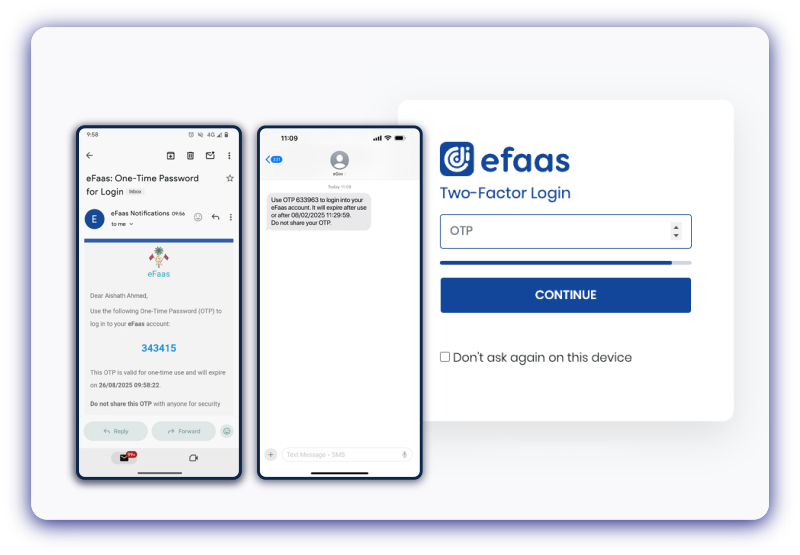
Step 5
Enter the OTP and click Continue button
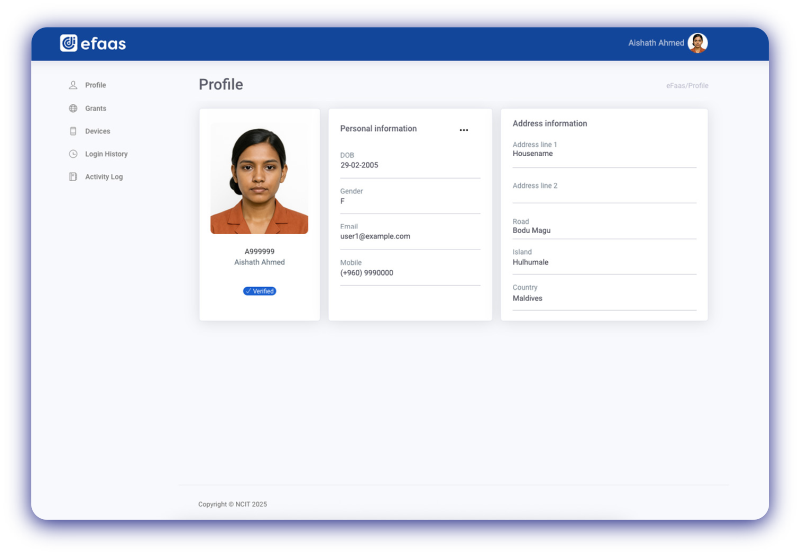
Step 6
Once you click Continue, you will see your eFaas profile