How to Reset eFaas Password using Phone Number

Step 1
To reset the password, visit the website by navigating to: efaas.gov.mv
Click LOGIN Button
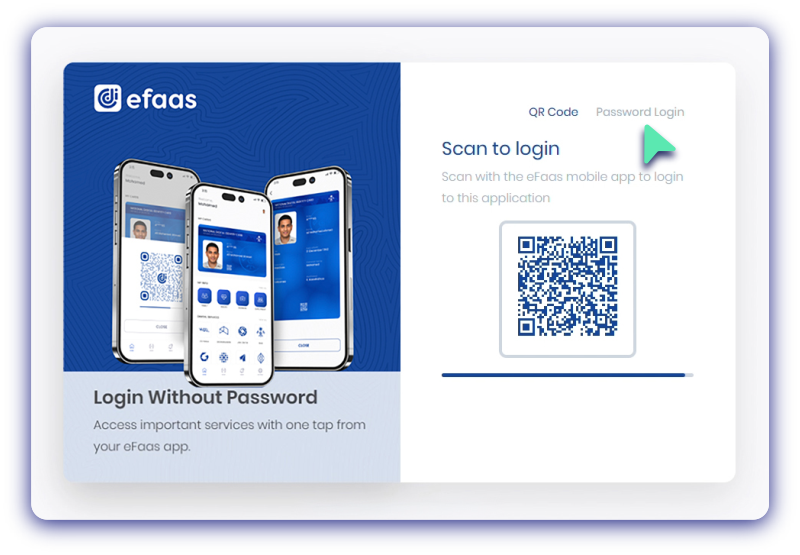
Step 2
Select Password Login as login option
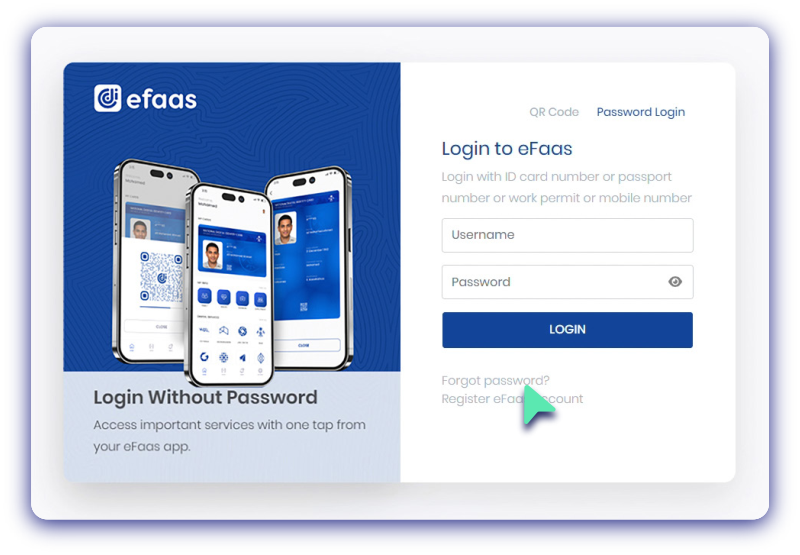
Step 3
Select Forget Password to reset the password
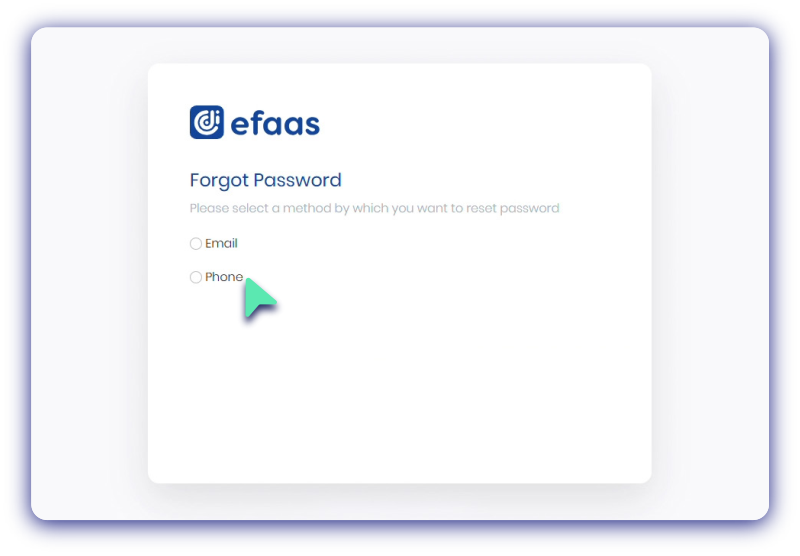
Step 4
Choose Phone as preferred reset method
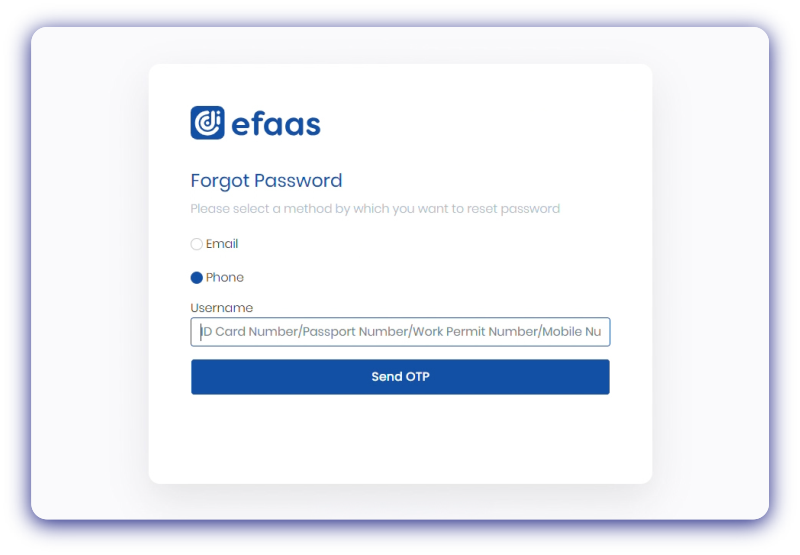
Step 5
Enter your Username
(ID Card Number/Passport Number/Word Permit Number)
and Click Send OTP button
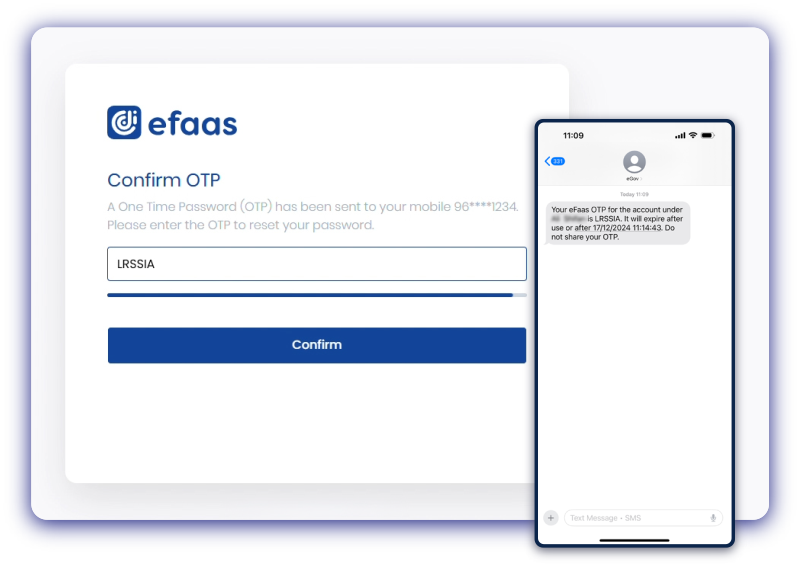
Step 6
SMS OTP will be sent to your registered Phone Number, Enter the OTP and click Confirm Button
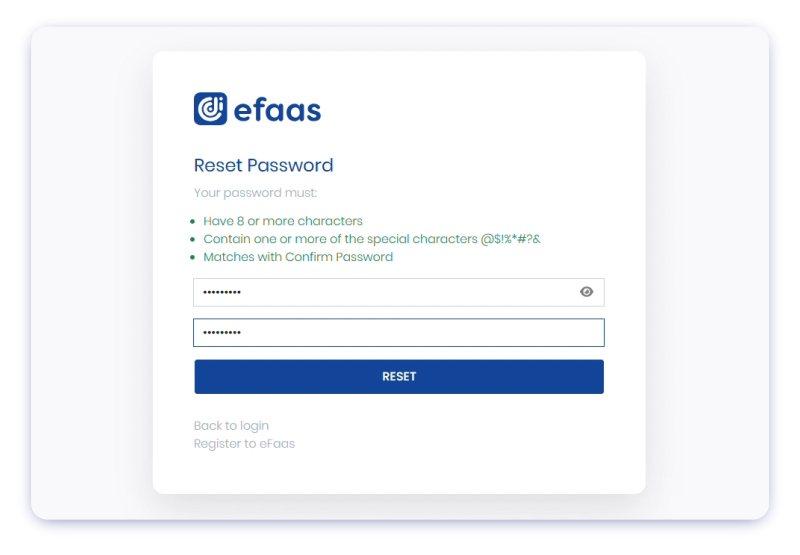
Step 7
Enter the New Password and
click RESET button
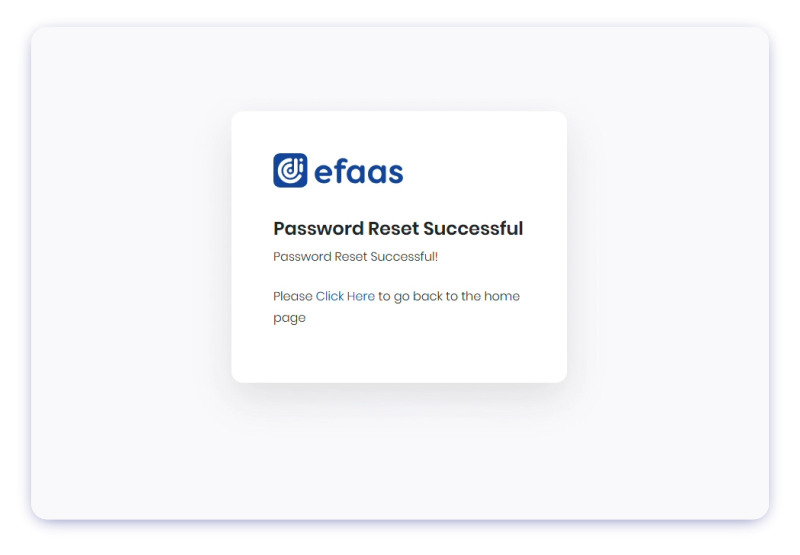
Step 8
Once the password has been reset,
Password Reset Successful! message will be shown. To return to the homepage, select the
Click Here link.